
Remote working has become the norm in recent years and keeps growing in popularity in many organisations. However, to make this new way of organising work effective, it is crucial to take into account companies’ digital transformation and the use of digital collaborative tools.

Collaborative software offers solutions that let users easily share files, information and annotations. It enables teams to plan, track the progress of a project, and build and circulate an action plan. These tools are part of the logic of collaborative work, emphasising communication, mutual help and exchange between colleagues.
How do you choose the right collaborative tool?
To choose the right collaborative tool(s), it is important to ask yourself the following questions: what objectives do you want to achieve through this way of organising work? Smoother communication? Encouraging collective thinking? Sharing information quickly? Real-time monitoring? It is essential to list and prioritise your objectives in order to identify the tools that will meet your needs and to have the points of comparison you need when choosing software or an application.
Compare tools against several criteria
Collaborative tools must fit the way your company operates and your specific needs. It is advisable to analyse the features of these tools in detail to assess how relevant they are to your activity and your work organisation.
Here is a selection of collaborative work tools that we suggest you consider as you develop remote working.
Google Workspace
Google Workspace is Google’s flexible, innovative solution that brings together all the collaborative tools you need to boost your productivity and that of your colleagues. Google Workspace offers a set of complementary tools accessible on computer, smartphone and tablet alike, with and without an internet connection.
Gmail: secure, private email
Google Calendar: online calendar / diary
Google Drive: file storage and sharing space
Google Docs: word processor / document editor
Google Sheets: spreadsheet / spreadsheet editor
Google Slides: presentation editor
Google Forms: survey and form editor
Google Sites: website editor
Google Meet: video conferencing service
Google Workspace lets you store and share data across the whole organisation via the cloud. The cloud is accessible from a Google account, syncs with all Google applications and remains accessible to everyone regardless of location. Each colleague can view files and folders, edit them or add to them, notably using the Google Docs, Sheets or Slides office applications.
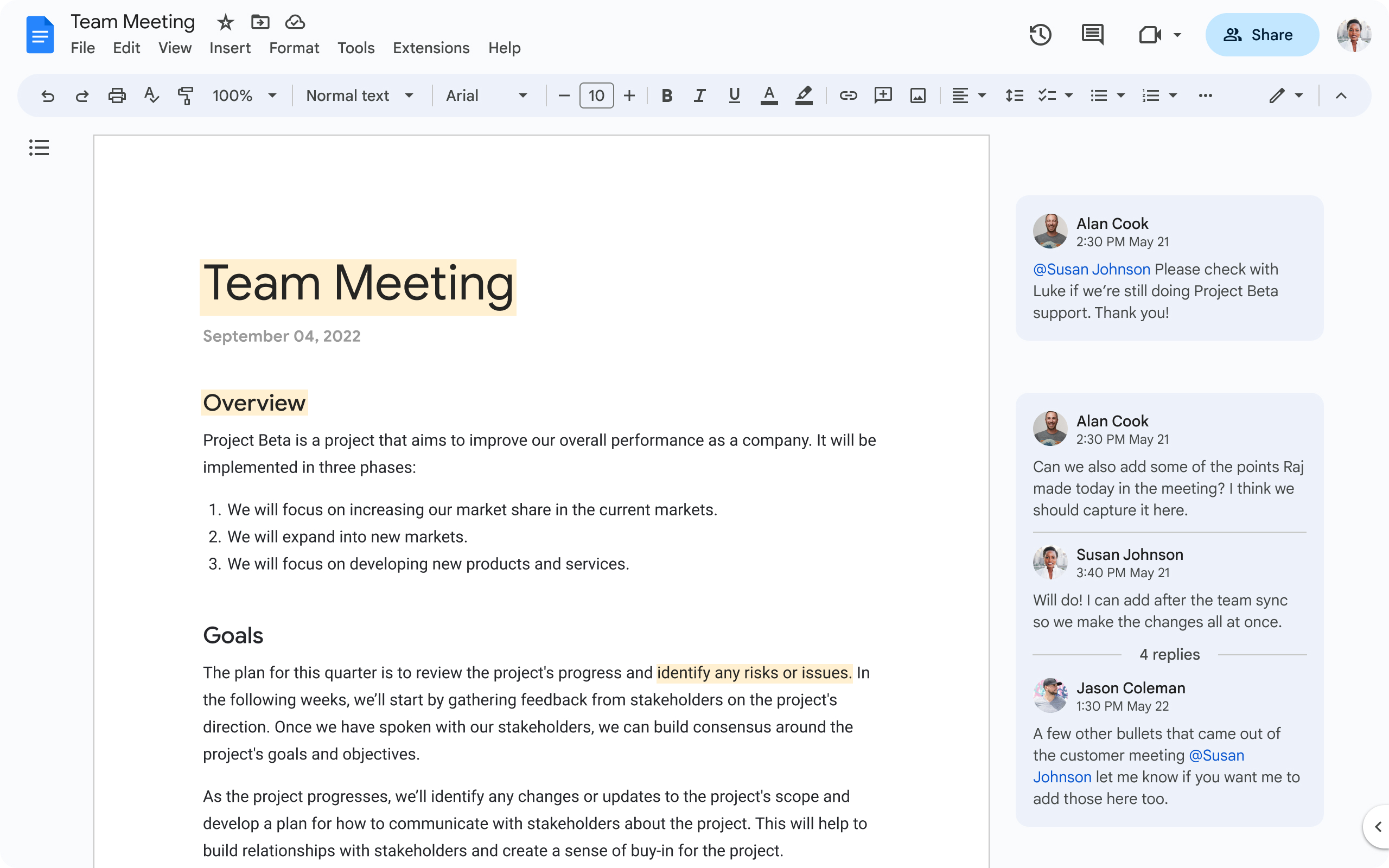
Shared calendars let you organise meetings while checking your colleagues’ availability. Meetings can take place by video conference directly through Google Meet. Share your screen to present your work to the team and make decisions live.
Microsoft Teams
Teams positions itself as the main tool in the Microsoft 365 suite for collaborative work. Its platform brings together a set of features useful for collaboration. Teams integrates Excel, Word and PowerPoint, among others.
Colleagues communicate via chat or messaging as well as audio or video calls.
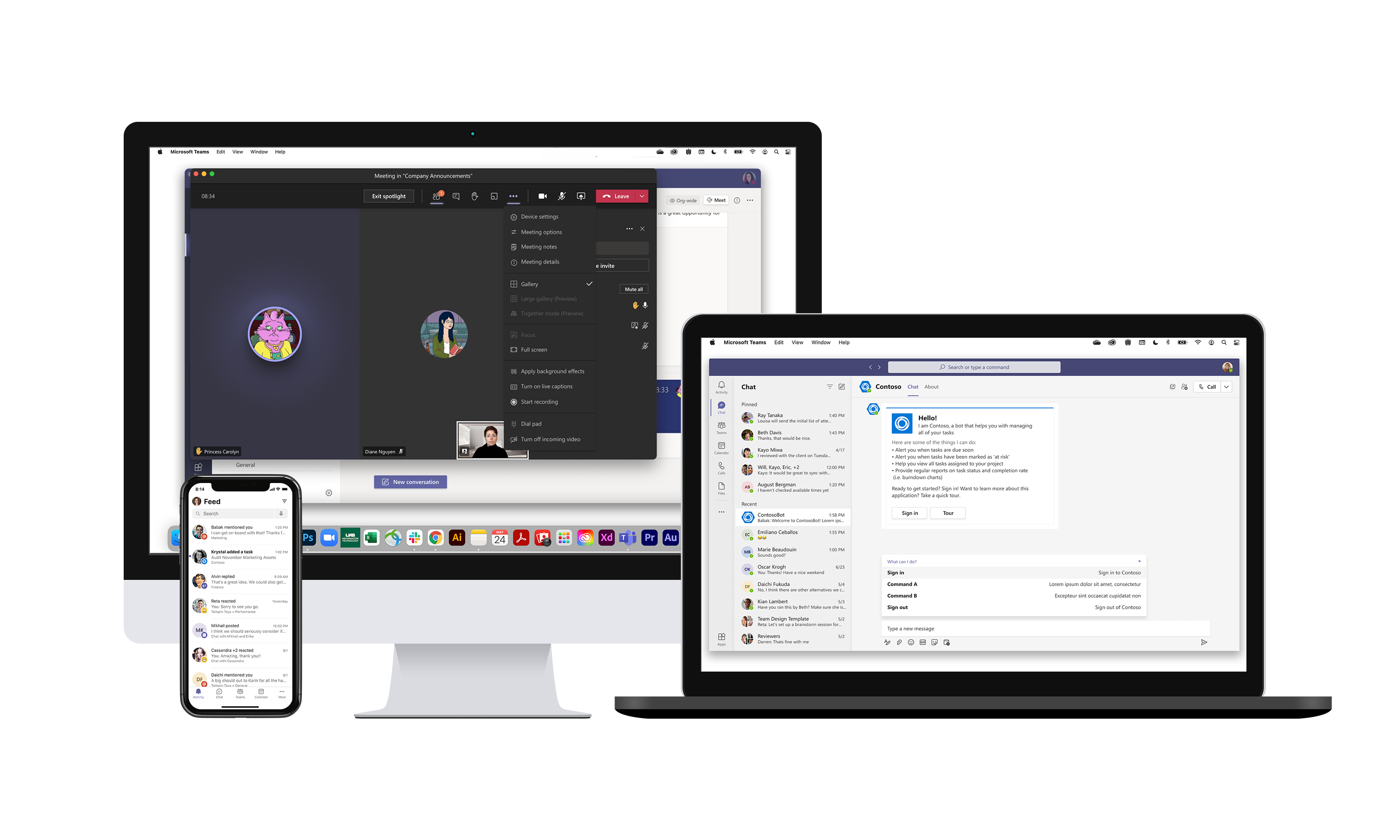
Creating communication channels by project lets colleagues meet and move forward together in a dedicated sub-workspace.
Microsoft Teams also lets you add external applications to extend its features.
Trello
Trello is a very intuitive free collaborative tool that makes online project management easier. The platform offers a board for each project, which is then divided into cards. A board can be made private or collaborative, and one or more members, a deadline and attachments can be assigned to it.
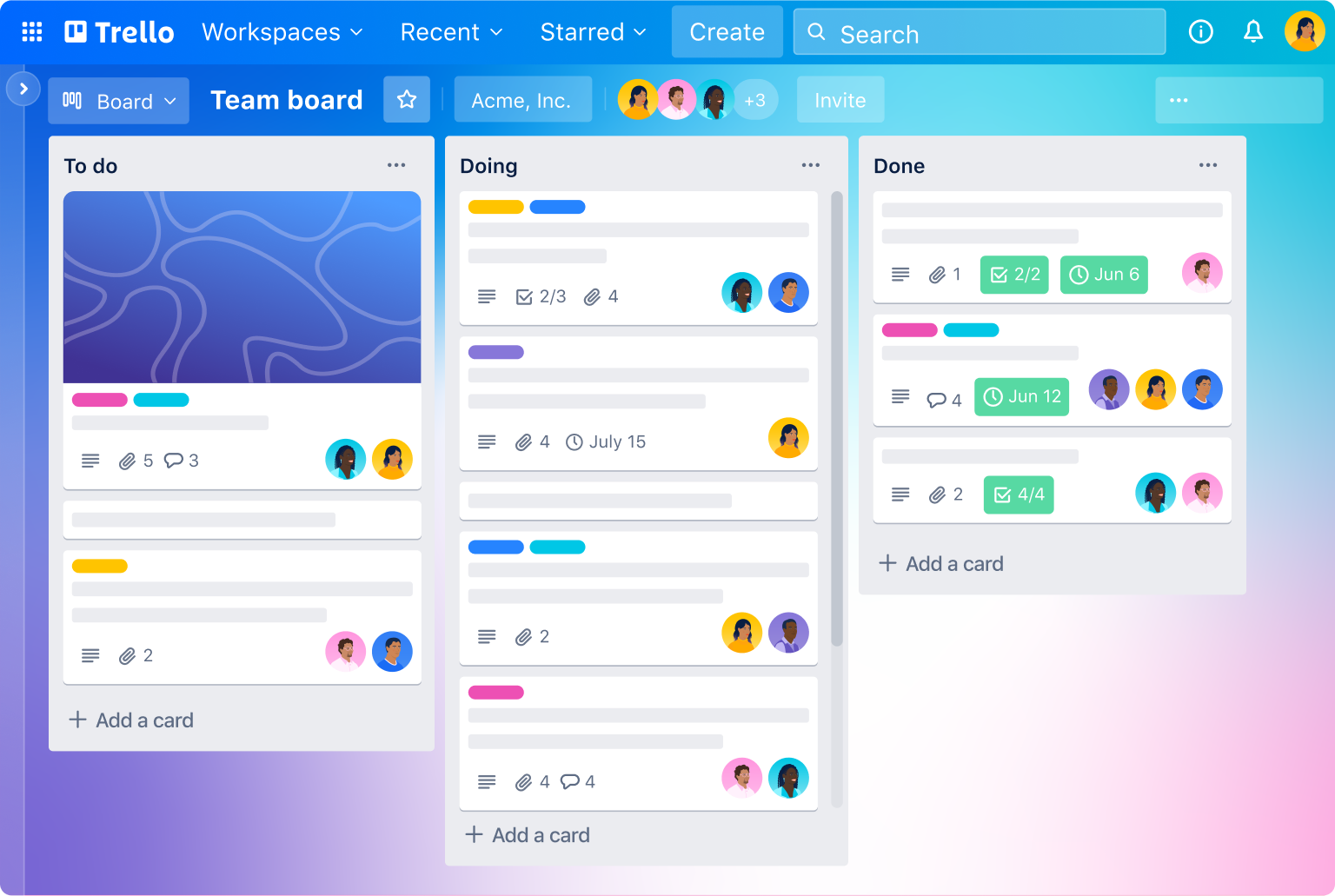
Trello thus lets you track the progress of colleagues’ various assignments or tasks on projects. You can, for example, have a “To do”, “In progress”, “Submitted” and “Approved” column. When someone is working on a task, they can drag it into “In progress”, then into “Submitted” when it is finished.
Slack
Slack is an instant messaging application that presents itself as a virtual workspace and encourages collaborative work. Conversations are organised in channels, which lets you group discussions by project, team or theme. Users can also share files, integrate external tools and search past conversations to easily find information.
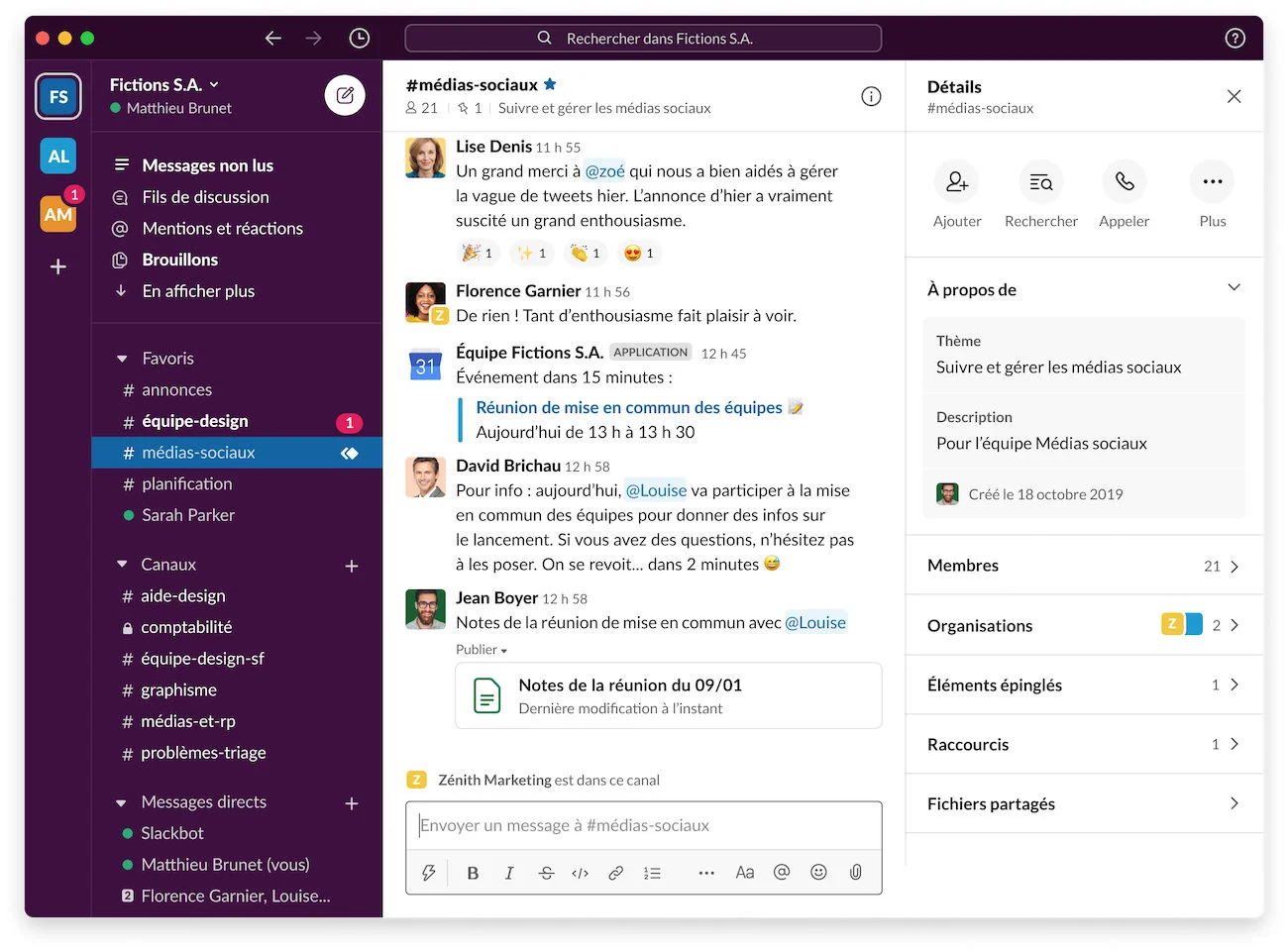
Slack also lets you create working groups, invite external members and collaborate on projects in real time. It also offers video conferencing features for online meetings, making it a complete tool for remote communication and collaboration.
Conclusion
Remote working has become a new norm in professional life, and digital collaborative tools are essential to make it effective. Many tools are available on the market, such as Google Workspace, Microsoft Teams, Trello, Slack, Asana, Zoom and many others, which offer solutions to make communication, coordination and collaboration between remote teams easier.
It is important to choose the right collaborative tools according to your company’s specific needs, taking into account the objectives you want to achieve with remote working. It is also essential to train colleagues in the use of these tools and to encourage them to adopt them in their daily work routine.
In conclusion, digital collaborative tools have become indispensable to ensure the productivity and coordination of remote teams, and it is crucial to choose the right tools according to your company’s needs to guarantee the success of remote working.
We offer a course in remote collaborative tools with personalised support that will help you take charge of your work organisation for maximum productivity.
Do not hesitate to contact us for more information and to find out how the courses can be funded.
+33 4 22 21 32 43